Joining a Community
If you’ve signed up for MySciLife, you’ve already joined your first community, because you entered the access code your teacher gave you! It’s just as easy to join new communities from within the site.
To Join A Community
1. Just mouse over the Communities menu (“M” MySciLife Logo) in the menu bar at the top of the screen and choose “Join a Community” at the bottom of the dropdown.
2. A shadowbox will appear asking you for a community access code.
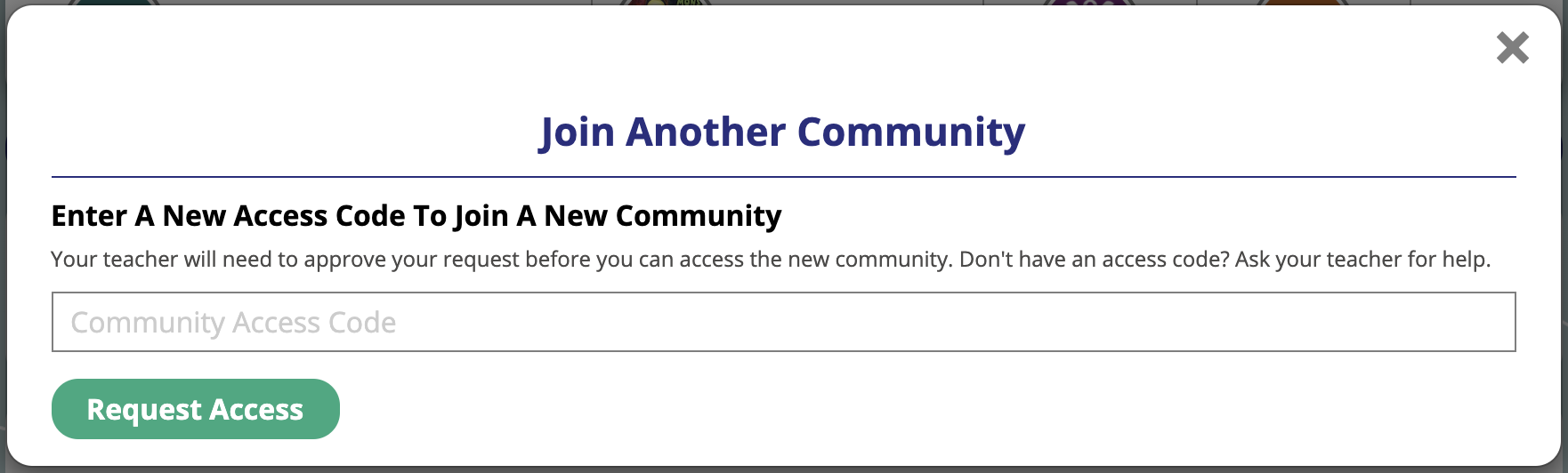 Join A Community Box
3. Once you’ve typed in the access code, click the “Request Access” button. That’s it! You just sent a request to that teacher to join their community. Once they approve or deny access, you will receive a message in your My Messages letting you know.

Tip: If you would like to receive these notifications via email, set your email notifications opt-in to “Yes” on the My Account page.
Related Articles
Community Libraries
When a community is created, MySciLife automatically creates a corresponding library. These libraries can include class resources and other information that the teacher wants to share with students. Teachers can add to a class community library ...Create Community (Button)
To create a new community, click the "+Create Community Button" on the Manage Communities screen.Restoring An Archived Community
To restore an archived community and its companion library, navigate to the “My Archives” area and click the “Restore” button (circular arrow) next to the community name. To restore an archived community and its companion library, navigate to the “My ...Adjusting Community Moderation Settings
The moderation control for each community is an on/off switch. If moderation is on, posts and comments in that community are moderated. If moderation is off, posts and comments in that community are not moderated. Community Moderation Settings are ...Create A New Community
To create a new community: Create A New Community Hover over/click the Teacher Tools menu icon and click on Manage Communities. Click the “+Create Community” button at the top. In the shadowbox, give your new community a name and assign a unique ...